What it is
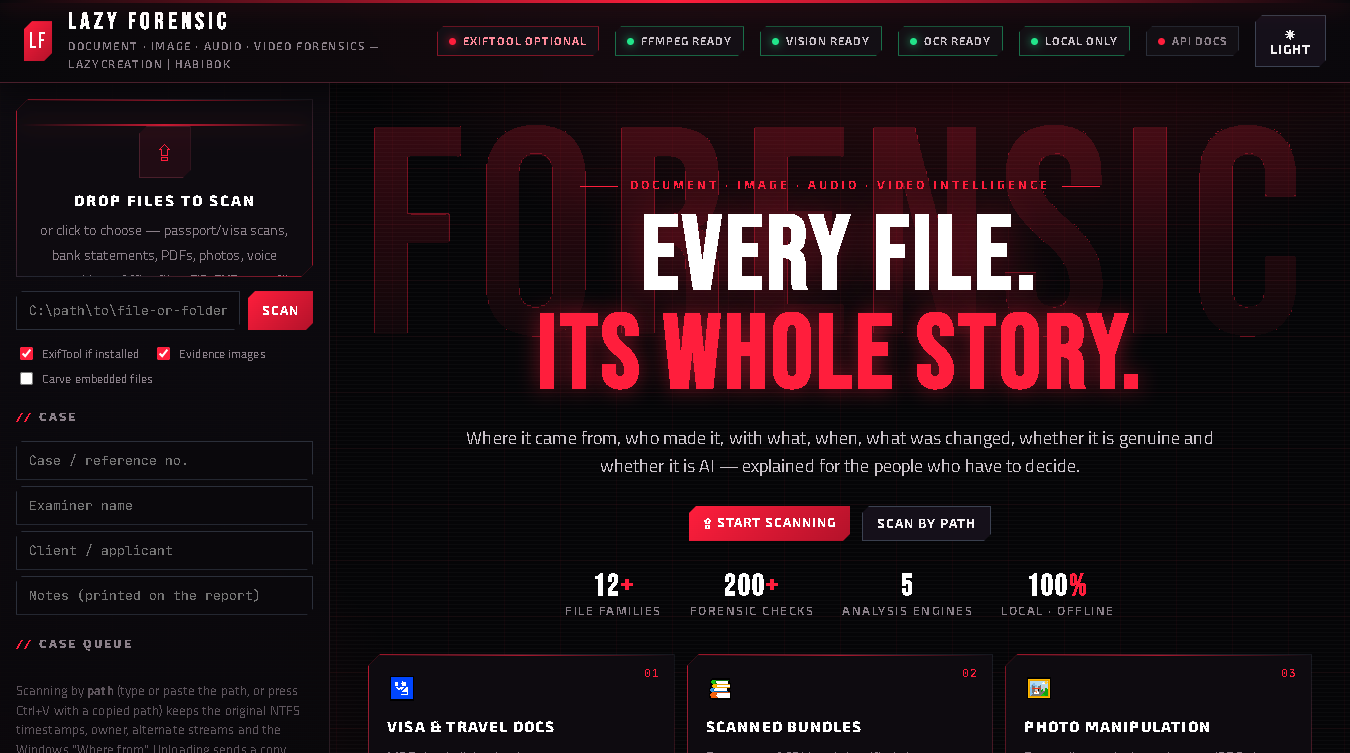
Lazy Forensic tells you the whole story of a file: where it came from, which software made and changed it, who is named inside it, when each step happened, whether it was edited, and whether anything looks tampered, fake or dangerous. It reads photos, PDFs, Word/Excel/PowerPoint, audio, video, ZIP/RAR/7z, EXE, shortcuts and text files.
Everything runs offline on your own PC. Files are never uploaded anywhere. The tool opens in your browser at http://127.0.0.1:8765, but that address is your own computer.
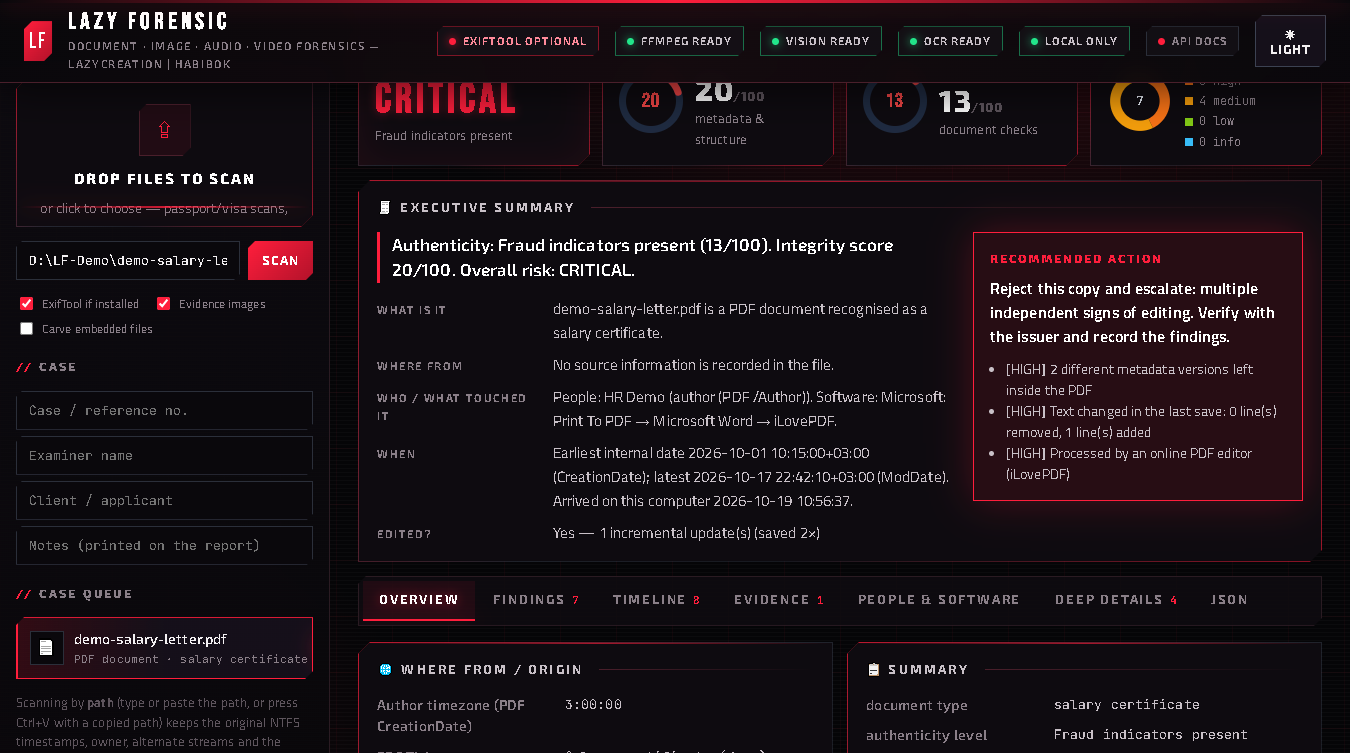
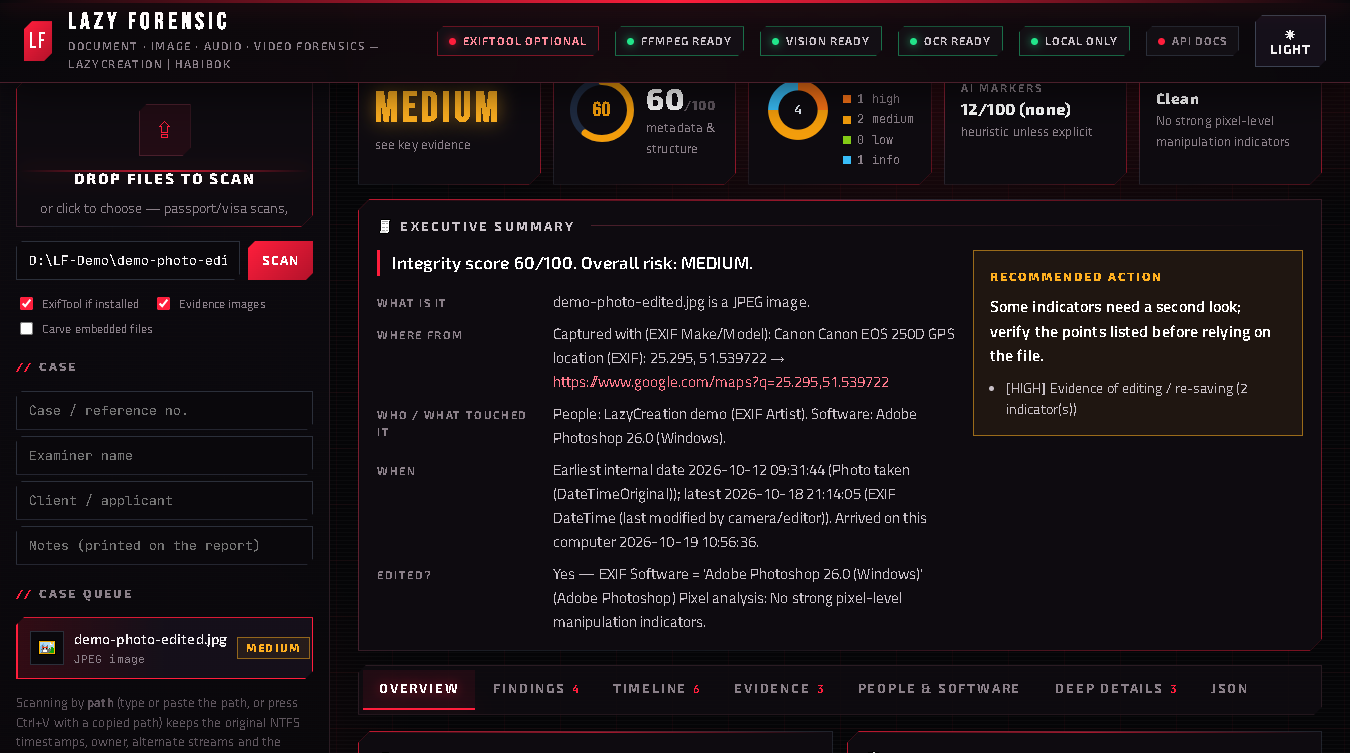
Every report starts with a plain-language executive summary (overall risk, integrity and authenticity scores, key evidence, recommended action), and every finding says what it means, why it matters and what to do.
Who it is for
- Visa, recruitment and HR offices that receive passports, visas, salary letters, bank statements and certificates and want a quick second opinion before trusting them.
- Small businesses and accountants checking invoices, quotations and payment screenshots.
- Journalists and fact-checkers asking "where did this photo or video come from, and was it edited or AI-made?".
- Students and trainers of digital forensics who want to see real metadata layers explained.
Before you start
- Download. After payment the download link arrives by email (it also stays in your purchase library). The zip is large (about 300 MB) because OCR, video tools and the vision engine are inside — nothing else to install.
- Extract. Right-click the zip → Extract All… to a permanent folder, for example
C:\Tools\LazyForensic\. Keep the whole folder together; it also runs from a USB drive. - Start. Double-click Start Lazy Forensic.bat (or
LazyForensic.exe). A small black window opens — leave it open while you work — and your browser shows the Lazy Forensic page. - Windows SmartScreen. The first start may show "Windows protected your PC". Click More info → Run anyway. The tool is not signed with a paid certificate yet, so Windows does not recognise it on day one.
- To stop, close the black window.
Scanning a file
There are two ways, and the difference matters:
- Scan by path (recommended for evidence). Type or paste the full path of a file or a whole folder into the box (tip: in File Explorer, Shift + right-click → Copy as path, then Ctrl+V) and press SCAN. The original stays where it is, so the tool can also read Windows evidence about it: NTFS created/modified/accessed times, the owner, alternate data streams and the "Where from" record Windows writes on downloads (for example that a file came from WhatsApp Web).
- Drop or choose a file. Quick, but the tool works on a copy, so the Windows-level evidence of the original is not visible.
Options under the box:
- ExifTool if installed — uses ExifTool for the full camera maker-note dump when it is present (optional, see below).
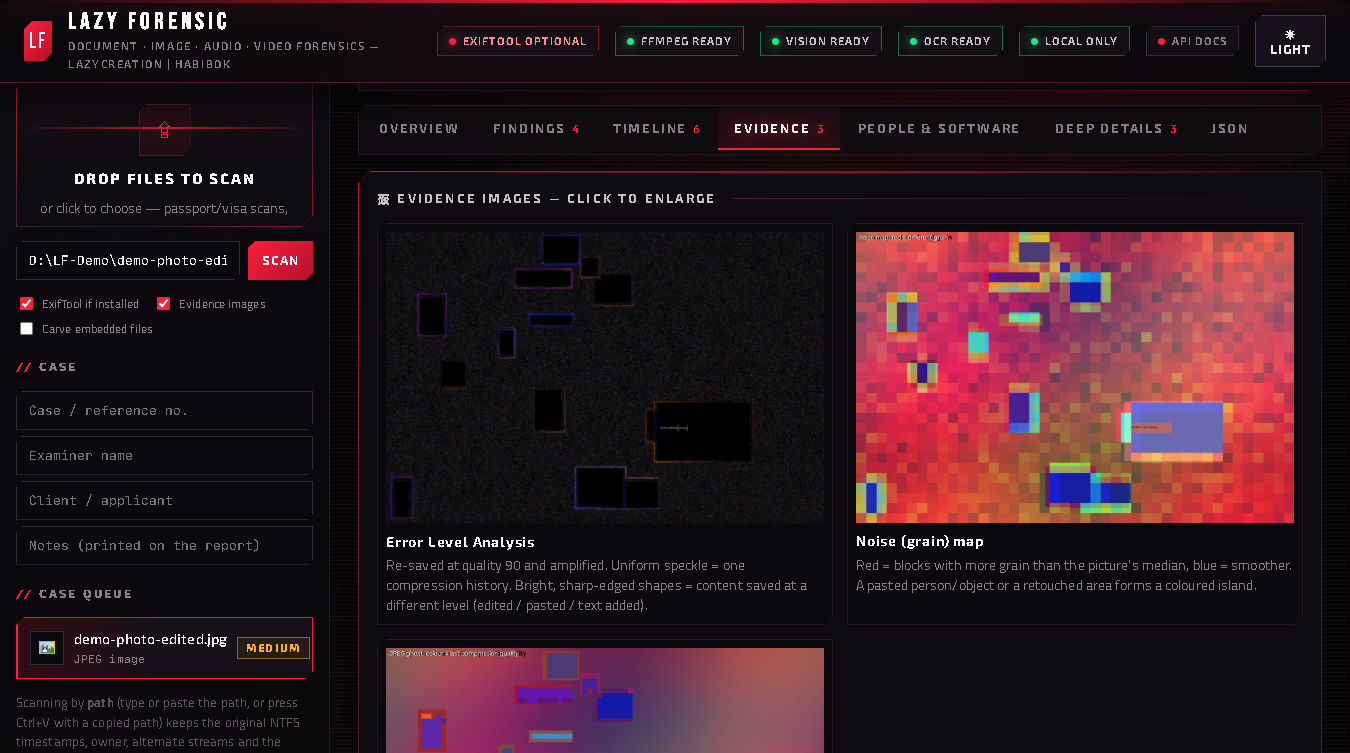
- Evidence images — attaches the visual evidence (error level analysis, noise and ghost maps, face splice, spectrograms) to the report.
- Carve embedded files — searches the bytes for complete hidden files (JPEG, PDF, ZIP, DOCX, EXE…) and saves them to the
recovered\folder. Use it on disk images, memory dumps and unknown blobs.
The Case fields (reference, examiner, client/applicant, notes) are printed on the report together with the intake time and SHA-256/MD5 — a simple chain of custody.
Reading the report
- Overall risk — LOW, MEDIUM, HIGH or CRITICAL.
- Integrity (0–100) — how consistent the file's structure and metadata are.
- Authenticity (0–100) — for documents: how believable the content is (dates, arithmetic, check digits, producer software).
- Executive summary — where it came from, who or what touched it, when, whether it was edited, key evidence and the recommended action.
Tabs:
- Overview — origin clues (camera, GPS with map link, author time zone, title) and the summary table.
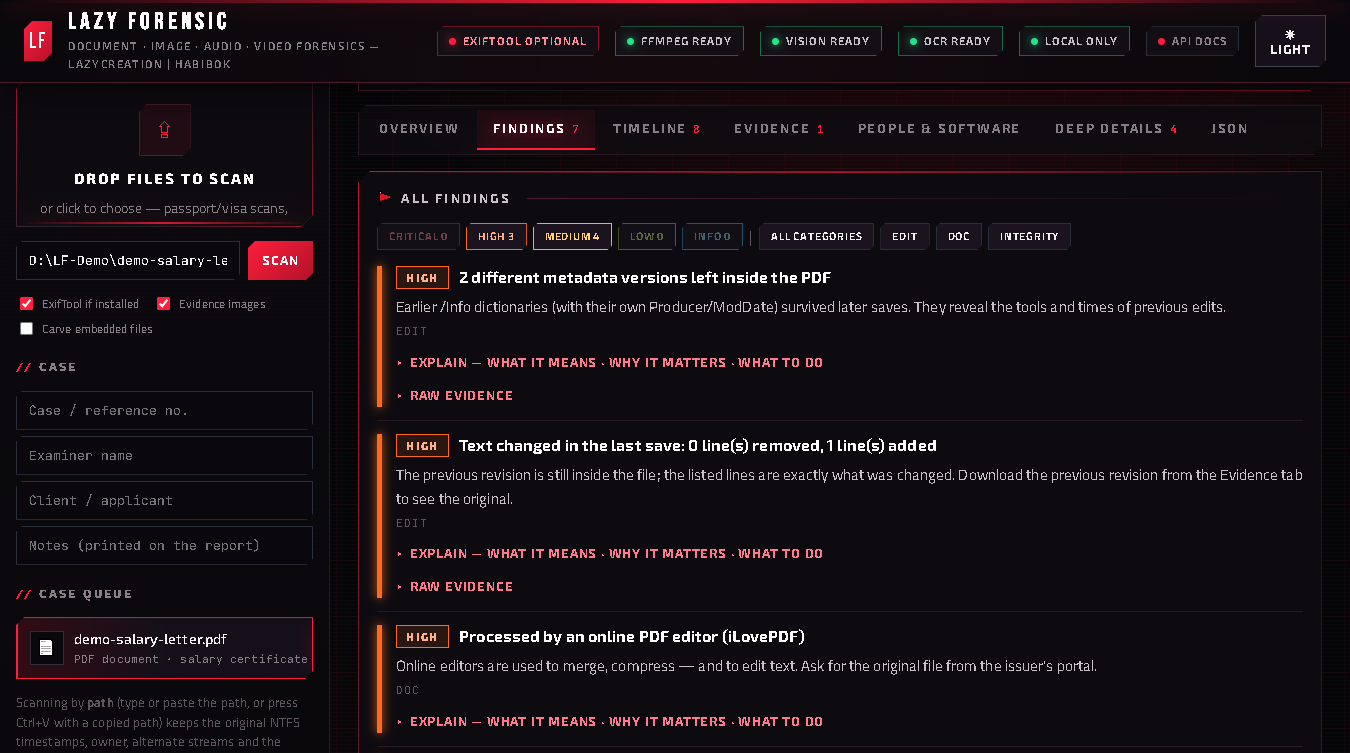
- Findings — every issue graded critical → info, each with what it means / why it matters / what to do.
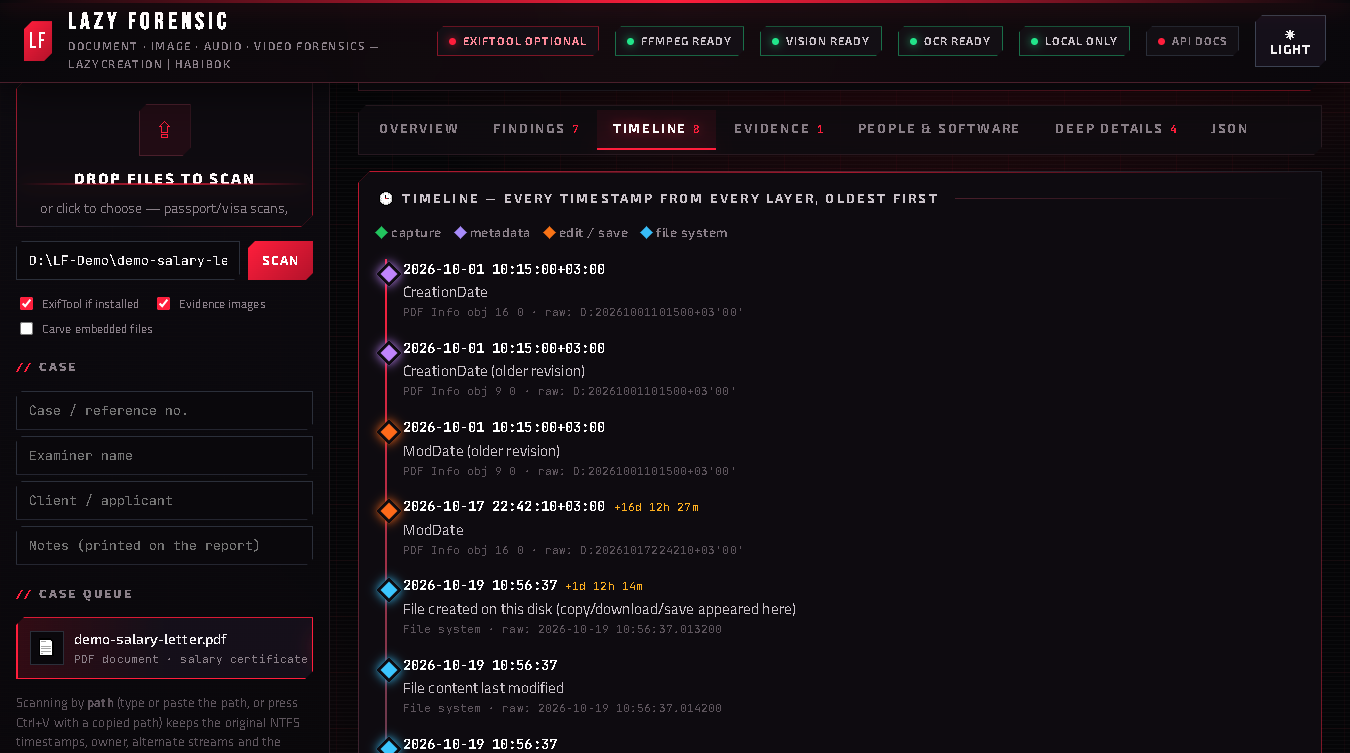
- Timeline — every date from every layer merged in order: taken, created, edited, saved, downloaded, arrived on this PC.
- Evidence — the attached evidence images.
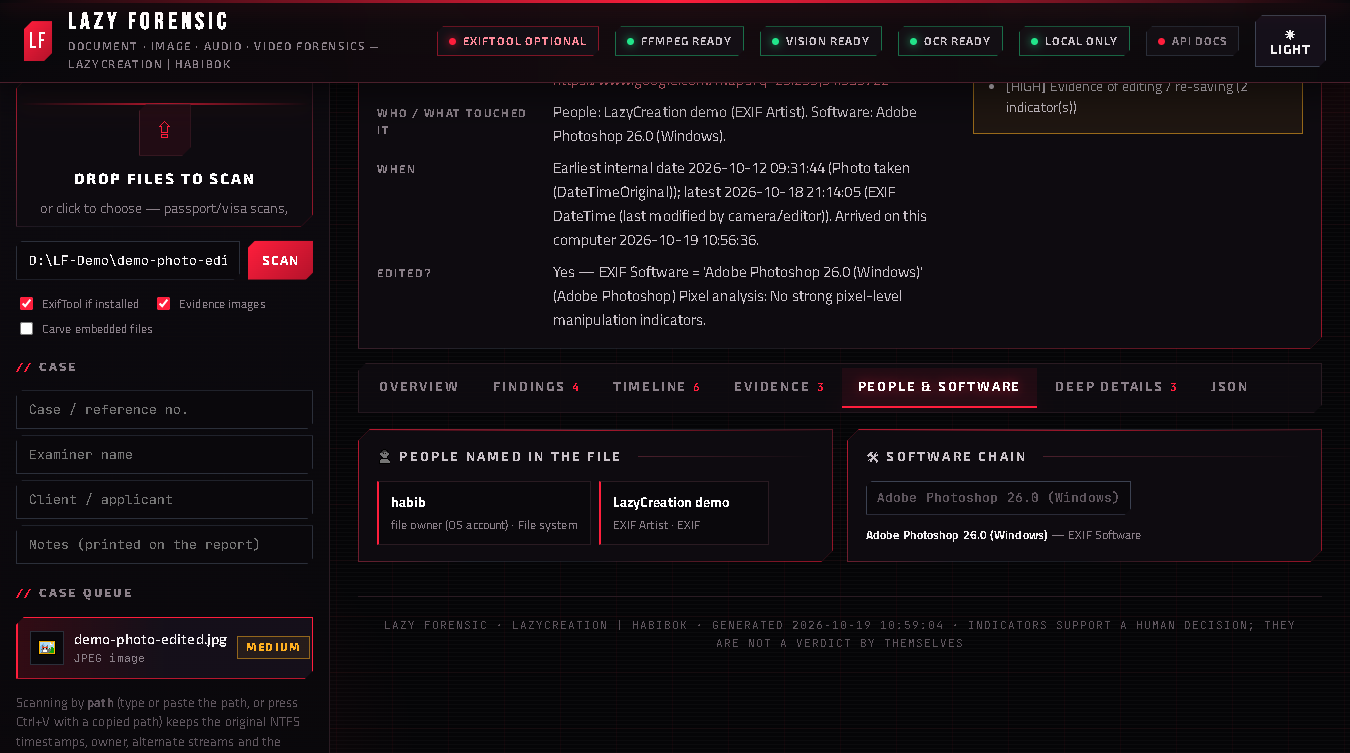
- People & software — every person name and every program found, as a chain (for example Microsoft Word → Print to PDF → iLovePDF).
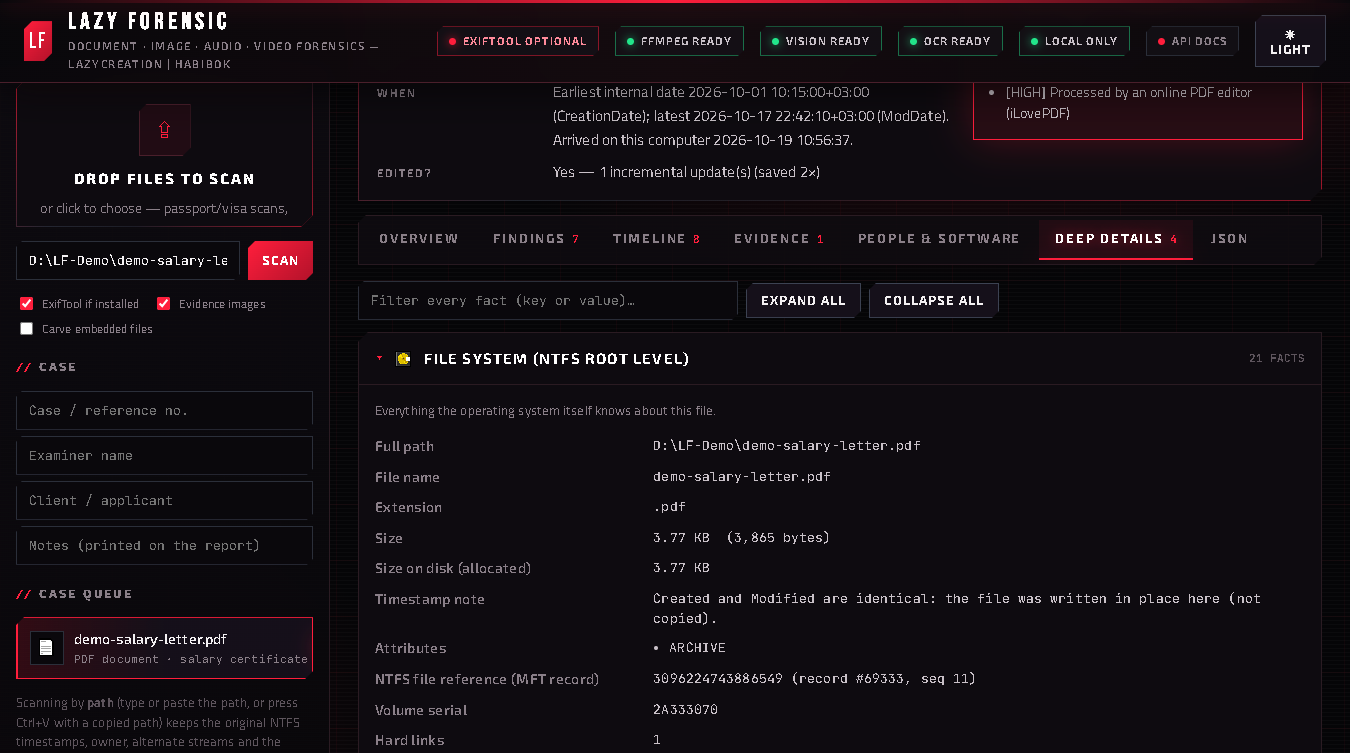
- Deep details — the raw layers: EXIF/XMP/IPTC, PDF objects, Office properties, media boxes, hashes, hex.
- JSON — the full machine-readable report.
What it checks, by file type
Documents for visa, HR and banking
Detects the document type (passport, visa, ID, bank statement, salary letter, ticket, degree, police clearance…), then checks whether the producing software makes sense (a bank statement made in Word, Canva or Photoshop is a red flag), Acrobat touch-up marks, white boxes painted over text, text typed on top of a scan, mixed fonts, pasted images, MRZ check digits on passports and visas, IBAN mod-97, running-balance arithmetic on statements, printed dates vs file dates, and QR codes vs printed text. Image-only PDFs (scanned bundles) are read page by page with OCR, grouped into documents and cross-checked (account, IBAN, passport and ID numbers that repeat or contradict).
PDFs
Version, every incremental save, old metadata left inside the file, objects overridden by later saves, producer/creator knowledge base, JavaScript and embedded files, forms, signatures, annotations — and "What changed in the last save": the previous revision is rebuilt and compared with the current one (removed and added text, metadata changes), and the earlier versions can be downloaded.
Photos
Full EXIF (camera, lens, times, GPS → map), XMP edit history, IPTC, ICC, JPEG quality and encoder fingerprint, embedded thumbnail vs real image, error level analysis, noise-grain map, JPEG ghost (double compression), copy-move (clone) detection, face splice analysis, AI markers (C2PA, IPTC "trained algorithmic media") with an AI-likelihood score, and WhatsApp / Facebook / screenshot pipeline fingerprints.
Office files
Author, last modified by, created/modified/printed dates, revision count, editing minutes, application and version, company, template, editing sessions, tracked changes and comments with authors, hidden sheets/slides/text, macros and external links. Old .doc/.xls/.ppt/.msg files too.
Audio and video
Recording device or app (iPhone Voice Memos, WhatsApp voice note, phone-call recording…), real bandwidth vs container, clipping, silences, splice/cut candidates with timestamps, mains-hum frequency (50/60 Hz region hint) and AI/TTS voice indicators. For video: scene cuts, frozen frames, face-region consistency (face-swap hint), AI-video indicators and container time mismatches.
Archives, programs, shortcuts, text
ZIP/RAR/7z entries and the computer that made them (including macOS "Where from"), EXE compile time, publisher certificate, developer PDB path and packers; .lnk shortcuts with the originating computer's name and MAC address; e-mail headers, scripts, SVG and HTML generators.
Exports
PDF (full paginated report), PNG / JPEG (one-image summary), HTML (self-contained), JSON, Copy summary (text for an e-mail) and Print. PDF and image export use the Chrome or Edge already installed on your PC, offline.
Optional extras
- ExifTool — for the complete camera maker-note dump: put
exiftool.exeinto thebin\folder, or install it withwinget install OliverBetz.ExifTool. The top bar shows ExifTool as ready when it is found. - VirusTotal — advanced users can set the environment variable
LF_VT_KEYto their own VirusTotal API key before starting; the tool then looks up each file's SHA-256 online. Off by default.
Privacy
The tool does not send files, hashes or reports anywhere (unless you switch on the VirusTotal lookup yourself). Reports you export stay where you save them. Carved files go to the recovered\ folder next to the program.
Honest limits
- A document that was forged, printed and then scanned carries no software fingerprint. Only its content logic (arithmetic, dates, check digits, cross-references) and the issuer can expose it.
- Pixel-level detectors are indicators, not proof. Compression by WhatsApp or social media can hide or mimic edits.
- OCR can misread digits — balance, IBAN and MRZ findings on scans say "confirm visually".
- A clean report does not prove a document is genuine. Before refusing a visa, a job or a payment, confirm with the issuer.
Troubleshooting
- The browser page does not open — open
http://127.0.0.1:8765yourself while the black window is running. - "Windows protected your PC" — More info → Run anyway (see Before you start).
- PDF/PNG export does nothing — install Google Chrome or Microsoft Edge; the export uses it in the background.
- A scanned PDF finds no text — make sure the pages are readable; very small or blurred scans OCR poorly.
Licence, updates and refunds
One purchase = one person, on every PC you personally use. Updates within version 1.x are free: download them again from your purchase e-mail. The full terms are in LICENSE.txt, the open-source parts in THIRD-PARTY-NOTICES.txt. Questions, or a refund within 14 days: info@habibok.com.